Every order you place, generates a package which results in 1 Subscription. You can find the Subscription and manage it (cancel/revoke cancellation, edit the billing cycle and paying for the next billing cycle).
Please follow the below steps to do so:
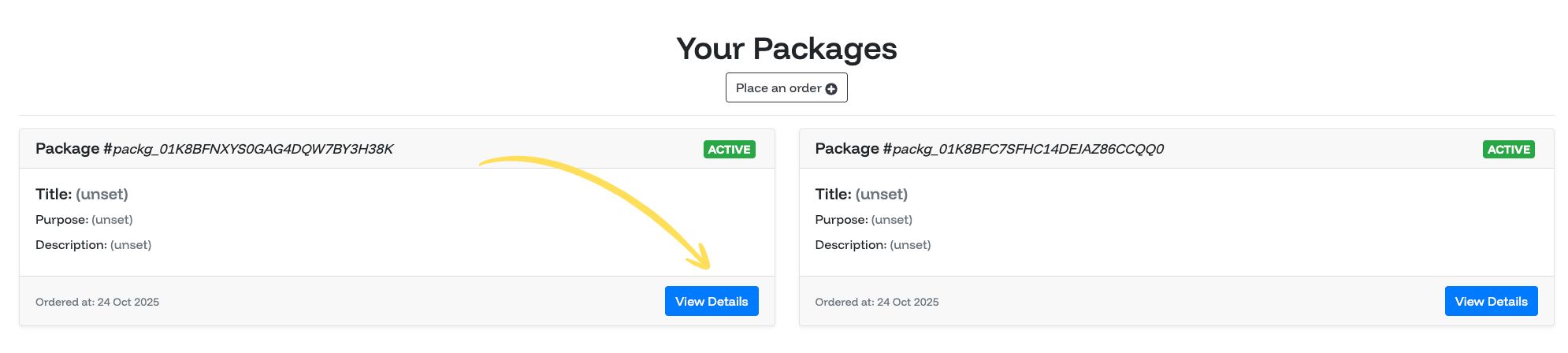
1. After logging in to the dashboard, open the sidebar and click on the "Packages" link.

2. Click on "View Details" for the package of which you want to manage the subscription.
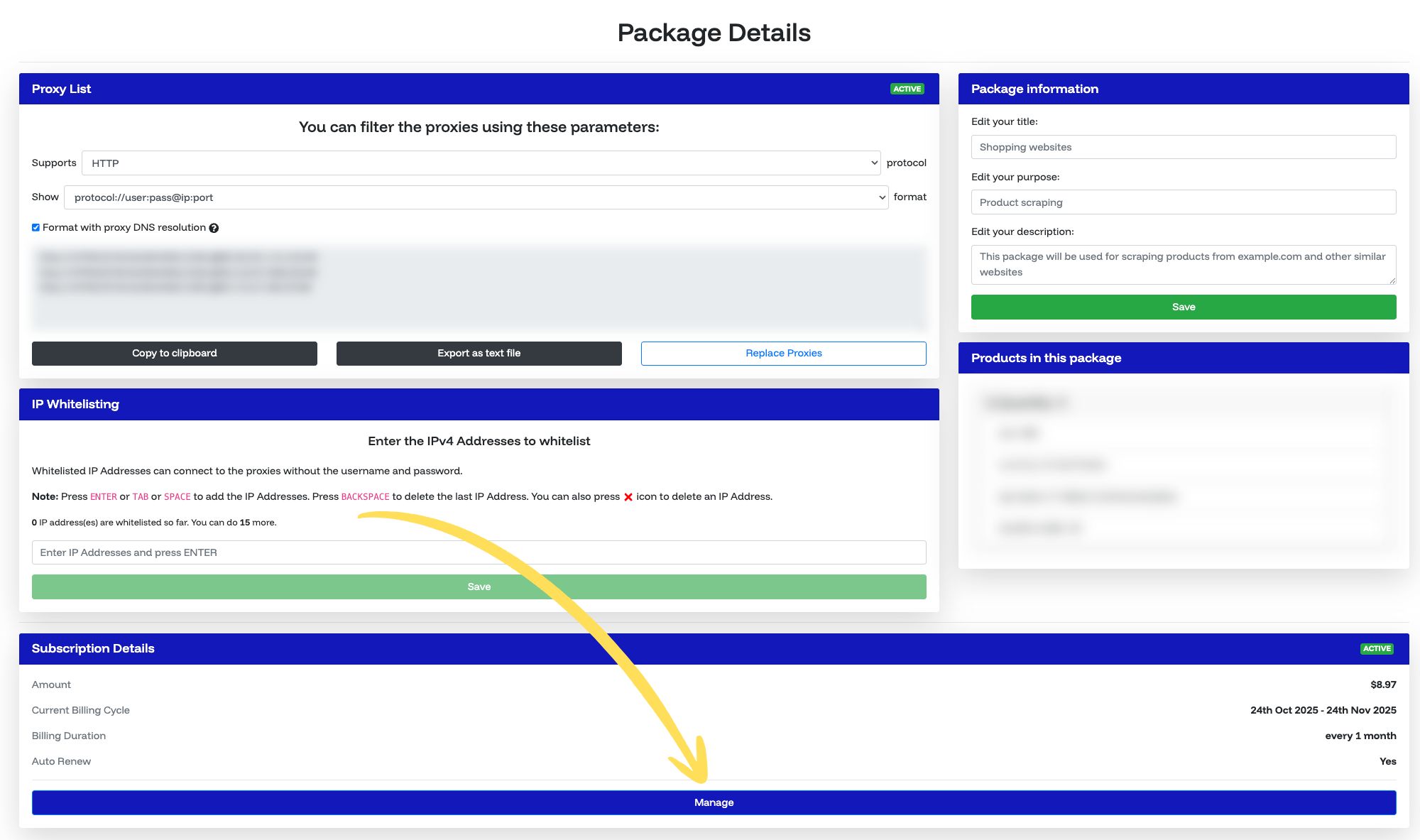
3. Scroll down and click on the "Manage" button under the "Subscription" section.
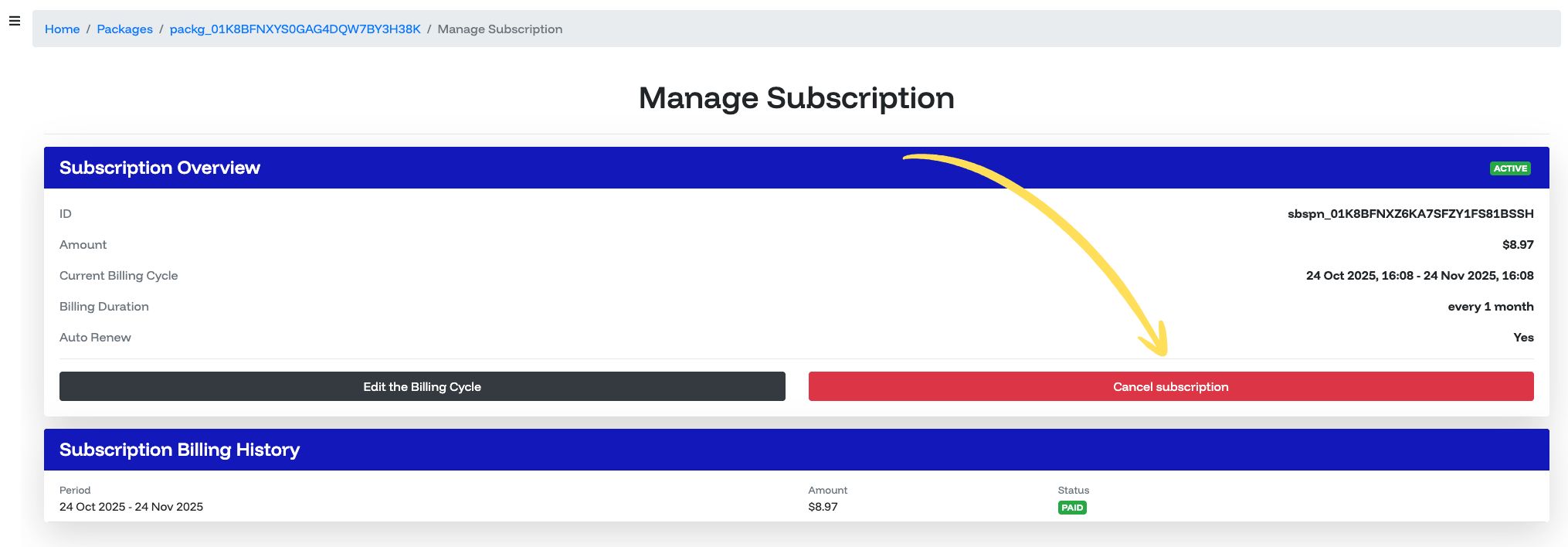
4. The "Manage Subscription" page will open. You can edit the billing cycle, cancel the subscription, revoke the cancellation and pay for the upcoming billing cycle from this page.
Was this article helpful?
That’s Great!
Thank you for your feedback
Sorry! We couldn't be helpful
Thank you for your feedback
Feedback sent
We appreciate your effort and will try to fix the article