Setting up your account and placing an order on ProxySwag Dashboard involves 5 steps:
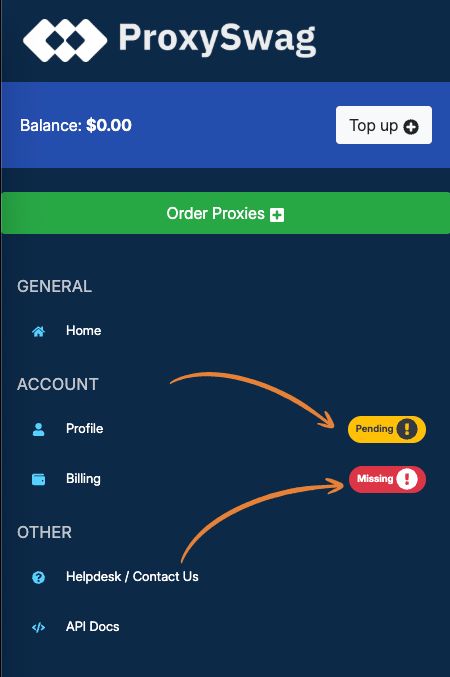
Step 1 - Complete your profile
Click on the profile link and enter your name and company name. Only enter company name if it's registered otherwise you can leave it empty. Click on "Save" to complete the step.

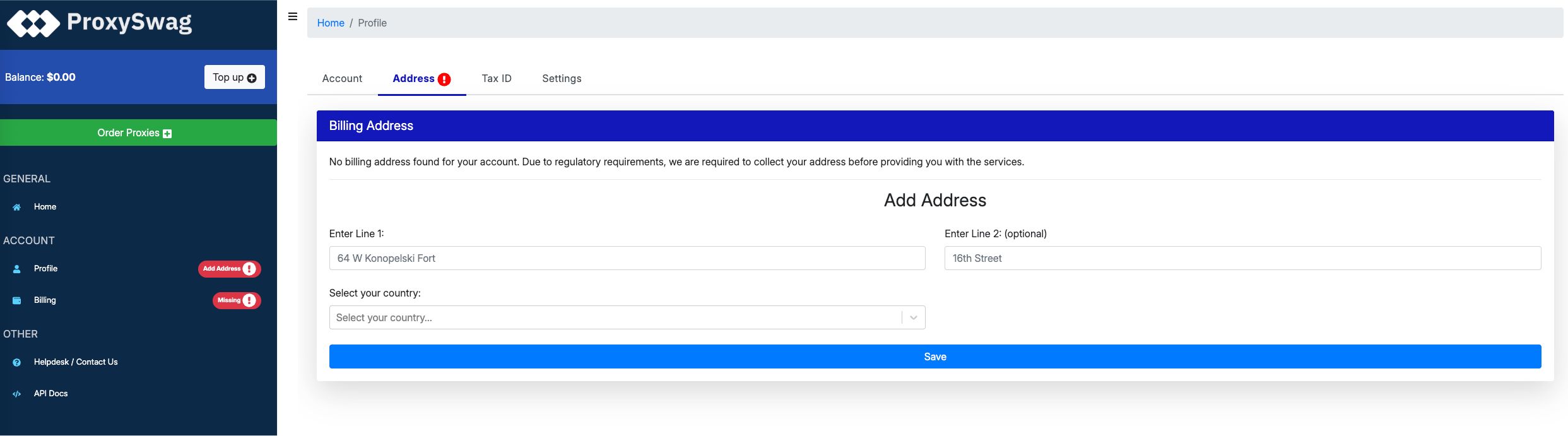
Step 2 - Add your billing address
Click on the "Address" tab in the Profile link from the left sidebar and add your billing address. Use the one where your company or you are based in. This same address will be used for the payment gateways and receipts & invoices, so add it correctly.
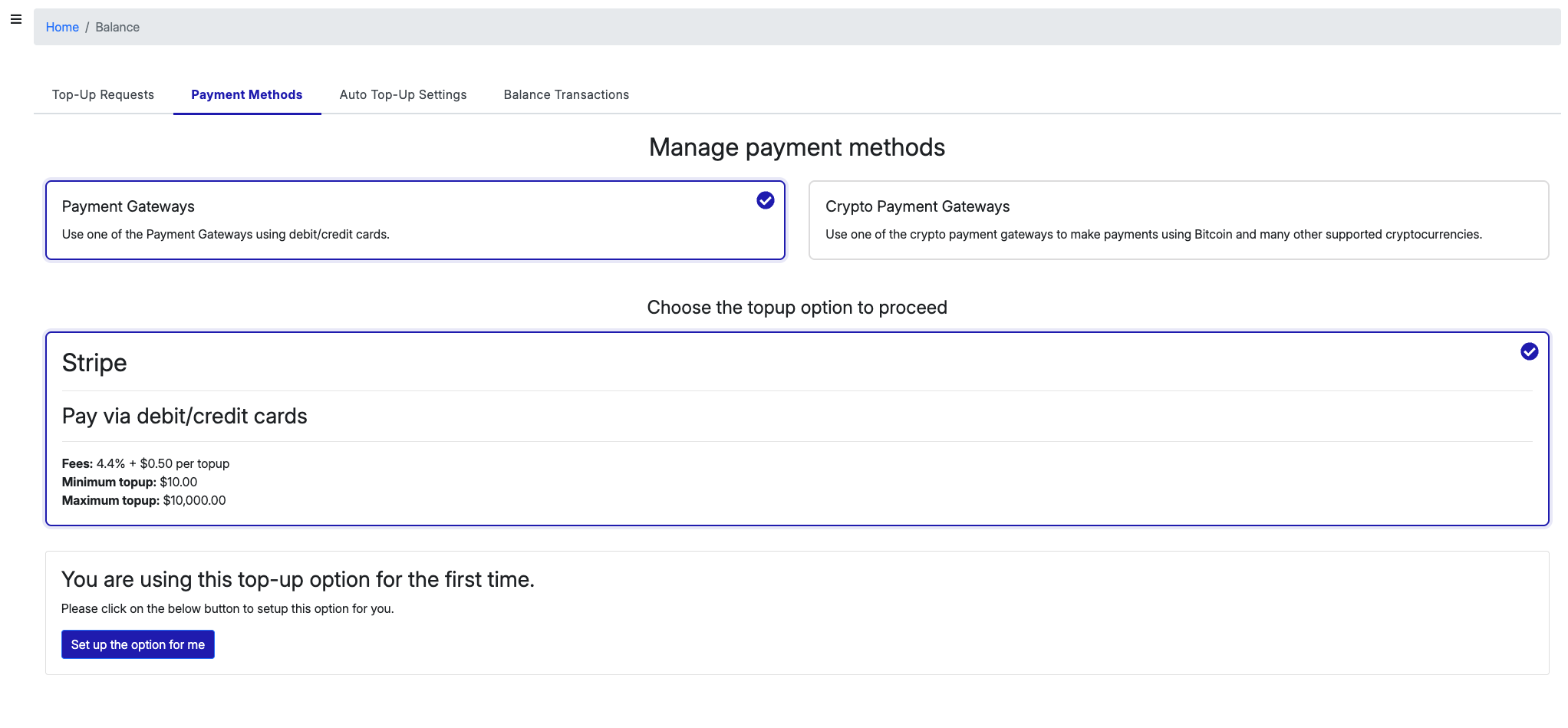
Step 3 - Save a payment method
Click on the Billing link from the left sidebar and add a payment method. This payment method will be used in the further steps. Complete the steps as shown in the dashboard.
Step 4 - Create a top-up request
Since proxies are mostly renewed on a recurring basis, the dashboard only supports paying for the order and renewals through your Account Balance. To add funds to your Account Balance you can create a top-up request and use your payment method to pay for it. You can read more about Account Balance here.
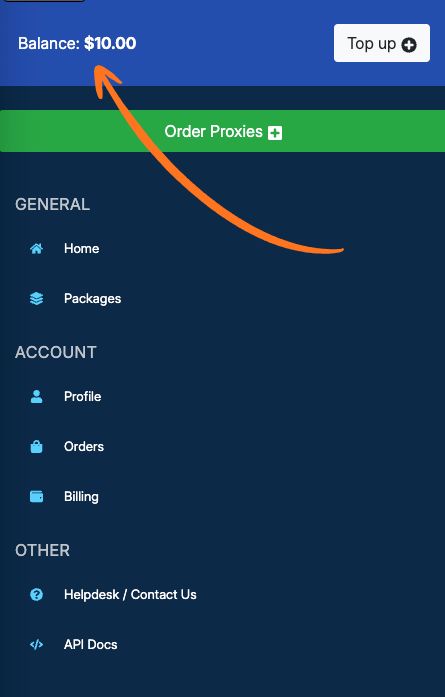
Click on the Top-Up button located on the top of the left-sidebar or click on Billing link from the left sidebar and go to "Top-Up Requests" tab to add funds to your account balance.
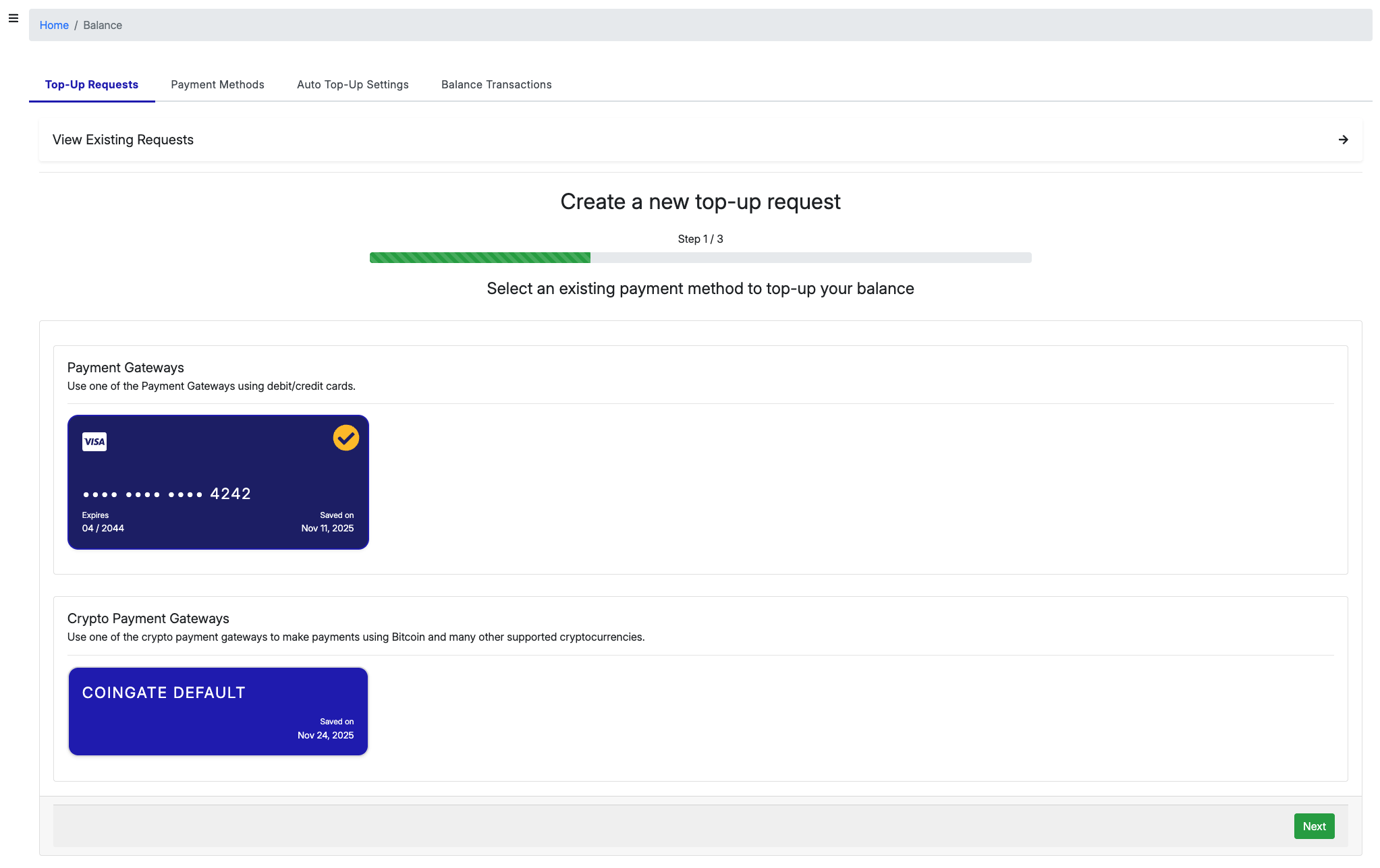
Select the payment method you would like to pay with and click the "Next" button. There may be a fee as mentioned in this article. Once the payment is made, the Account Balance will be updated in few minutes.
Step 5 - Place an order for proxies
You can now place an order for proxies by clicking the "Order Proxies" button from the left-sidebar.
Was this article helpful?
That’s Great!
Thank you for your feedback
Sorry! We couldn't be helpful
Thank you for your feedback
Feedback sent
We appreciate your effort and will try to fix the article